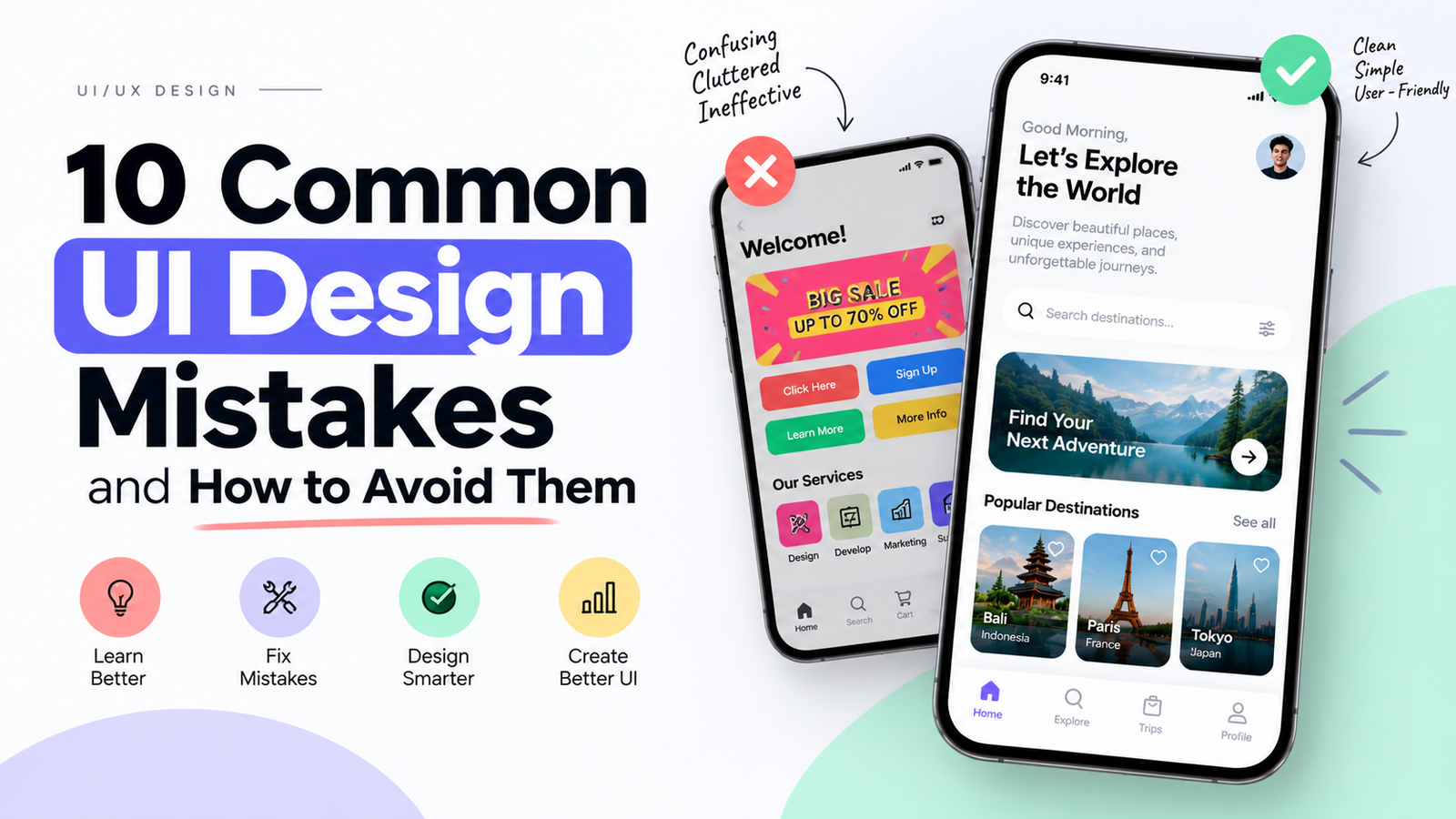
10 Common UI Design Mistakes and How to Avoid Them
Reviewing student portfolios week after week, we tend to see the same handful of mistakes come up again and again — far more often than any genuinely new design problem. Most of them have nothing to do with talent and everything to do with habits: skipping usability checks, copying trends without knowing why they work, or polishing visuals while ignoring accessibility. Here are the 10 UI design mistakes we flag most often, and how to fix each one.
If you are learning UI/UX design or searching for a UI/UX design course in Delhi, understanding these common mistakes can help you create better websites, mobile applications, and digital products.
What Is UI Design?
UI stands for User Interface. UI design focuses on the visual and interactive elements of a digital product, including typography, colors, buttons, icons, navigation, cards, forms, layouts, images, and spacing.
The goal of UI design is to create an interface that looks clear and professional while helping users understand how to interact with a website or application.
10 Common UI Design Mistakes
1. Using Too Many Colors
One of the most common UI design mistakes is using too many colors without a clear visual system. Excessive colors can make an interface look confusing and reduce the visual hierarchy of the page.
How to avoid it: Create a structured color palette with primary, secondary, background, text, and accent colors. Use bright or strong colors mainly for important actions and visual highlights.
2. Poor Typography
Typography has a major impact on readability and user experience. Using too many fonts, extremely small text, poor line spacing, or insufficient contrast can make an interface difficult to read.
How to avoid it: Create a clear typography hierarchy for headings, subheadings, body text, labels, captions, and buttons. Keep font sizes and line heights consistent across the design.
3. Inconsistent Spacing
Random margins, padding, and gaps can make a UI look unorganized. Consistent spacing helps users understand the relationship between different elements.
How to avoid it: Create a spacing system and use consistent values throughout your interface. Maintain similar spacing between related elements and larger spacing between separate sections.
4. Weak Visual Hierarchy
Visual hierarchy helps users understand which information is important. When headings, buttons, images, and other elements have similar visual weight, users may struggle to understand where they should focus.
How to avoid it: Use font size, font weight, contrast, color, position, spacing, and scale to create a clear visual hierarchy. Important content and primary actions should receive appropriate emphasis.
5. Designing Without Understanding Users
A visually attractive interface does not automatically provide a good user experience. Designing based only on personal preferences can result in a product that does not solve the actual user's problem.
How to avoid it: Understand your target audience before starting the final UI. Use user research, personas, user journeys, user flows, and usability testing to support important design decisions.
6. Overloading the Interface
Adding too many buttons, cards, images, icons, animations, and information can make an interface feel cluttered. Users may not know where to focus or what action they should take.
How to avoid it: Remove unnecessary elements and prioritize the information users actually need. Use whitespace to create breathing room and improve readability.
7. Inconsistent UI Components
Buttons, cards, input fields, menus, navigation bars, and other UI components should look and behave consistently throughout a product.
How to avoid it: Create reusable components and establish a design system. Tools such as Figma allow designers to create reusable components, variants, styles, and design patterns.
8. Ignoring Responsive Design
A design that looks good on a desktop screen may not work properly on a mobile phone or tablet. Poor responsive design can result in difficult navigation, unreadable text, incorrectly sized elements, and unusable buttons.
How to avoid it: Consider different screen sizes while designing. Test layouts on mobile, tablet, and desktop resolutions and make sure important content remains accessible.
9. Poor Button and CTA Design
Buttons are important interaction points in any interface. If a button does not look clickable or its label is unclear, users may not understand what action will happen next.
How to avoid it: Use clear action-oriented labels such as "Get Started", "Book Now", "Download", or "Continue". Maintain sufficient contrast, proper sizing, spacing, and consistent button styles.
10. Not Testing the Design
Designers can sometimes become too familiar with their own designs and assume that everything is easy to understand. Real users may experience problems that the designer did not notice.
How to avoid it: Create an interactive prototype and test important user flows before development. Observe where users struggle and improve the design based on feedback.
UI Design Mistakes at a Glance
| UI Design Mistake | Common Problem | Better Approach |
|---|---|---|
| Too many colors | Visual confusion | Use a structured color palette |
| Poor typography | Low readability | Create a clear typography hierarchy |
| Inconsistent spacing | Unorganized layout | Follow a spacing system |
| Weak visual hierarchy | Users cannot identify priorities | Use size, contrast, and spacing |
| Too much content | Cluttered interface | Prioritize important information |
| Inconsistent components | Unpredictable experience | Use reusable components |
| Poor responsiveness | Bad mobile experience | Design for multiple screen sizes |
| Unclear CTAs | Users may not know what to do | Use clear action-oriented labels |
| No usability testing | Problems remain undiscovered | Test prototypes before development |
How to Improve Your UI Design Skills
Improving UI design requires more than learning a design software. Designers should understand fundamental principles such as typography, color theory, spacing, grids, alignment, visual hierarchy, responsive design, accessibility, components, and design systems.
- Learn fundamental UI design principles.
- Study successful websites and mobile applications.
- Practice creating interfaces in Figma.
- Build mobile and web UI projects.
- Learn Auto Layout and reusable components.
- Create your own design system.
- Practice responsive design.
- Create interactive prototypes.
- Test your designs with users.
- Build UI/UX case studies for your portfolio.
Why Figma Is Important for UI Design
Figma is a popular tool for creating UI designs, wireframes, prototypes, components, and design systems. It provides features that help designers create consistent and scalable digital interfaces.
Beginners should learn important Figma features such as Frames, Auto Layout, Components, Variants, Styles, Grids, and Prototyping. These features can make the UI design process more organized and efficient.
UI Design vs UX Design
UI and UX are closely connected but focus on different aspects of digital product design. UI focuses primarily on the visual and interactive interface, while UX focuses on the overall experience a user has while interacting with a product.
A strong UI/UX designer should understand both areas because an attractive interface still needs to be useful, understandable, accessible, and aligned with user needs.
Learn UI/UX Design in Delhi
If you want to build a career in UI/UX design, practical training can help you understand how professional digital products are researched, designed, prototyped, tested, and improved.
Students searching for a UI/UX design course in Delhi should consider learning Figma, UX research, wireframing, prototyping, visual design, design systems, usability testing, responsive design, and portfolio development.
UIUXInstitute.in is a resource for students and aspiring designers interested in learning UI/UX design and developing practical design skills in Delhi.
A practical UI/UX learning program can help students understand not only how to create attractive interfaces but also how to solve real user problems through user-centered design.
Frequently Asked Questions About UI Design
What are the most common UI design mistakes?
Common UI design mistakes include using too many colors, poor typography, inconsistent spacing, weak visual hierarchy, cluttered layouts, inconsistent components, poor responsive design, unclear CTAs, and skipping usability testing.
How can I avoid UI design mistakes?
You can avoid common UI design mistakes by following consistent design systems, using proper typography and spacing, understanding user needs, creating responsive layouts, using reusable components, and testing prototypes before development.
Is Figma useful for learning UI design?
Yes. Figma can be used for wireframing, UI design, components, prototyping, design systems, and collaborative design workflows, making it useful for beginners and professional UI/UX designers.
What should a beginner learn first in UI design?
Beginners should start with layout, spacing, typography, colors, visual hierarchy, grids, responsive design, components, and basic usability principles before moving into advanced design systems and interaction design.
Do UI designers need to learn UX?
Understanding UX is valuable for UI designers because it helps them understand user needs, information architecture, user flows, usability, and the problems an interface is designed to solve.
Where can I learn UI/UX design in Delhi?
Students can explore UI/UX training programs in Delhi that cover Figma, UI design, UX research, wireframing, prototyping, design systems, and portfolio development. You can also explore UIUXInstitute.in for UI/UX learning and training information.
Conclusion
Avoiding common UI design mistakes is an important part of becoming a better UI/UX designer. Consistent typography, spacing, colors, visual hierarchy, responsive layouts, reusable components, clear CTAs, and usability testing can significantly improve the quality of a digital interface.
If you are learning UI/UX design, do not focus only on making a design visually attractive. Focus on making it clear, consistent, accessible, useful, and easy for real users to understand.
Want to learn UI/UX design in Delhi? Explore UIUXInstitute.in to learn more about UI/UX design training and practical learning opportunities.