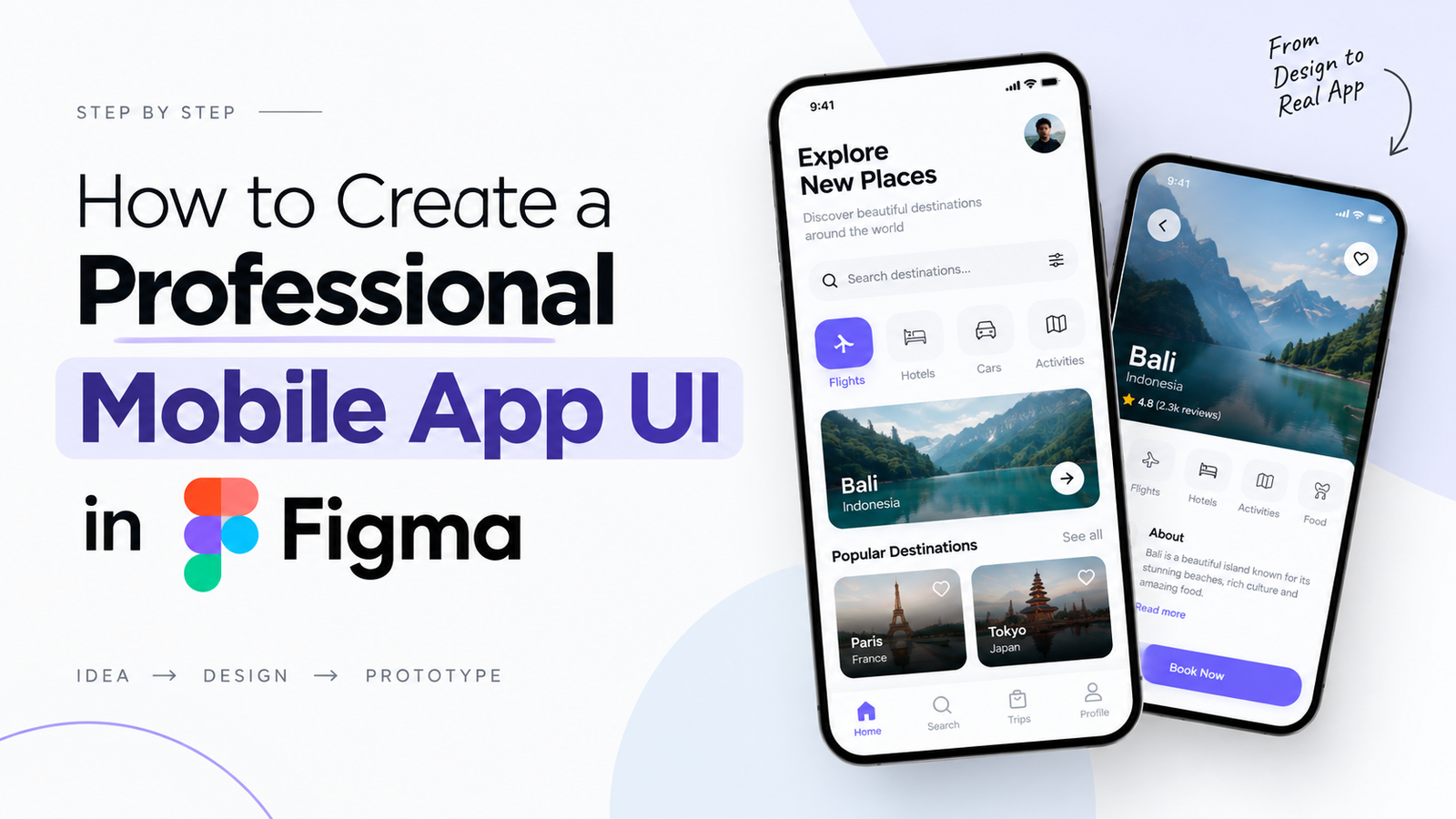
How to Create a Professional Mobile App UI in Figma
Want to learn how to create a professional mobile app UI in Figma? Figma is one of the most popular UI/UX design tools used to design mobile applications, websites, prototypes, and digital products. In this beginner-friendly guide, you will learn the complete process of creating a professional mobile app interface in Figma, from wireframing and layout planning to components, prototyping, and final UI design.
If you are looking for a UI/UX design course in Delhi or want practical Figma training in Delhi, learning these fundamentals can help you build a strong foundation in modern UI/UX design.
What Is Figma?
Figma is a cloud-based interface design and prototyping tool that allows designers to create user interfaces, wireframes, design systems, interactive prototypes, and responsive layouts.
Unlike traditional design software, Figma allows designers and teams to collaborate on the same design file in real time. This makes it useful for UI/UX designers, product designers, developers, startups, and design teams.
Why Use Figma for Mobile App UI Design?
- Easy-to-use interface for beginners
- Cloud-based design and collaboration
- Powerful components and auto layout features
- Interactive prototyping
- Design systems and reusable styles
- Easy developer handoff
- Supports modern mobile and web UI workflows
For beginners learning UI/UX design, Figma provides a practical environment to understand how professional digital interfaces are planned, designed, tested, and improved.
How to Create a Professional Mobile App UI in Figma
Step 1: Define the App Goal
Before opening Figma, clearly define what your mobile application is supposed to achieve. Identify the target users, their problems, and the primary action you want users to complete.
For example, if you are designing a travel application, the main goal could be helping users discover destinations, compare options, and book trips.
Step 2: Create a User Flow
A user flow describes the steps a user takes to complete a task inside an application. Creating the flow before designing the final interface helps you understand which screens are required.
For example:
- Open the app
- Explore destinations
- Search for a destination
- Open destination details
- Review information
- Book or continue to the next step
Step 3: Create Wireframes
Wireframes are simple layouts that show the structure of an interface before visual styling is added. At this stage, focus on content hierarchy, navigation, spacing, and functionality rather than colors and images.
A basic mobile app wireframe can include a header, search field, navigation, content cards, buttons, and bottom navigation.
Step 4: Set Up Your Mobile Frame in Figma
Create a new Figma file and select an appropriate mobile device frame. The exact dimensions can vary depending on the device and project requirements.
Maintain consistent margins and spacing throughout the interface. Creating a basic spacing system early can make your final UI cleaner and easier to maintain.
Step 5: Build a Visual Hierarchy
Professional UI design is not only about making screens attractive. Users should immediately understand what information is important and what action they can take.
Use typography, size, weight, spacing, contrast, and positioning to establish a clear visual hierarchy.
Step 6: Choose Typography and Colors
Select a limited number of fonts and establish consistent text styles for headings, subheadings, body text, labels, and buttons.
Your color palette should also have a clear purpose. Use your primary brand color consistently for important interactive elements while maintaining sufficient contrast for readability.
Step 7: Use Components in Figma
Components allow designers to create reusable interface elements such as buttons, navigation bars, cards, input fields, icons, and menus.
Instead of designing every button separately, create a reusable button component and use instances throughout the application. This makes future design changes much faster.
Step 8: Use Auto Layout
Auto Layout is one of the most useful Figma features for creating flexible interfaces. It allows elements to respond more intelligently when content, spacing, or dimensions change.
Learning Auto Layout is an important skill for anyone planning to pursue a professional UI/UX design career.
Step 9: Add Images, Icons and UI Elements
Once the structure is ready, add relevant images, icons, illustrations, cards, buttons, and other visual elements.
Keep visual consistency in mind. Icons should follow a similar style, cards should use consistent corner radius and spacing, and images should have predictable dimensions.
Step 10: Create an Interactive Prototype
Figma allows you to connect screens and create interactive prototypes. Prototyping helps you understand how the application will behave before development begins.
Connect buttons, navigation elements, cards, and other interactive components to the appropriate screens and test the complete user flow.
Step 11: Test the Mobile UI
Review the prototype as if you were a real user. Check whether the navigation is understandable, buttons are easy to identify, text is readable, and important information is easy to find.
Testing can reveal usability problems that may not be obvious while designing the interface.
Step 12: Prepare the Design for Development
Once the UI is finalized, organize your Figma file properly for developer handoff. Use meaningful layer names, reusable components, consistent styles, and clearly organized screens.
A well-organized Figma file makes communication between designers and developers easier.
Important Figma Features for UI/UX Designers
| Figma Feature | Why It Is Useful |
|---|---|
| Frames | Used to create mobile and desktop screen layouts. |
| Components | Create reusable UI elements. |
| Auto Layout | Build flexible and responsive interface elements. |
| Variants | Manage different states of components. |
| Prototype | Create interactive user flows. |
| Styles | Maintain consistent colors and typography. |
UI/UX Design Principles for a Professional Mobile App
1. Keep the Interface Simple
Avoid unnecessary elements and give users a clear path toward their primary goals.
2. Maintain Consistency
Keep typography, colors, spacing, buttons, icons, and components consistent across screens.
3. Use Proper Spacing
White space improves readability and helps users understand the relationship between different interface elements.
4. Design for Accessibility
Consider text readability, color contrast, touch targets, and clear interaction patterns when designing mobile interfaces.
5. Prioritize User Needs
A visually attractive interface is not enough. A successful UX should make important tasks simple and understandable for users.
Common Mistakes Beginners Make in Figma
- Using too many colors and fonts
- Ignoring spacing and alignment
- Designing without understanding the user flow
- Creating every element manually instead of using components
- Not using Auto Layout
- Ignoring accessibility and contrast
- Creating attractive screens without solving a user problem
- Not testing the prototype before finalizing the design
How Can Beginners Learn Figma and UI/UX Design in Delhi?
If you want to build a career in UI/UX design, learning Figma alone is not enough. You should also understand user research, information architecture, wireframing, prototyping, visual design, design systems, usability testing, and portfolio development.
Students searching for a UI/UX course in Delhi can look for practical training that combines Figma with complete UI/UX design workflows and real-world projects.
UIUXInstitute.in provides UI/UX design learning resources and training information for students and aspiring designers looking to develop practical UI/UX skills in Delhi.
Why Learn Mobile App UI Design?
Mobile applications are an important part of the digital product ecosystem. Businesses need designers who can create interfaces that are visually consistent, easy to use, and focused on user needs.
Learning mobile UI design also gives beginners a practical way to build portfolio projects. A well-designed mobile app case study can demonstrate your understanding of UX research, wireframing, UI design, prototyping, and design systems.
Frequently Asked Questions About Figma and Mobile UI Design
Can I design a complete mobile app in Figma?
Yes. Figma can be used to create mobile app wireframes, high-fidelity UI screens, reusable components, design systems, and interactive prototypes.
Is Figma good for beginners?
Yes. Figma has an accessible interface and provides features such as frames, components, Auto Layout, styles, and prototyping that make it suitable for beginners learning UI design.
How long does it take to learn Figma?
The basic tools can be learned relatively quickly, but becoming proficient requires consistent practice through UI projects, prototypes, design systems, and real-world design problems.
Do UI/UX designers need to know coding?
Coding is not generally required to start learning UI/UX design. However, understanding basic HTML, CSS, and front-end concepts can improve communication between designers and developers.
Which Figma features should a UI/UX beginner learn first?
Beginners should start with frames, layers, typography, colors, Auto Layout, components, variants, styles, prototyping, and basic design systems.
Where can I learn UI/UX design in Delhi?
Students can explore UI/UX training programs in Delhi that offer practical learning in Figma, UX research, wireframing, prototyping, visual design, and portfolio development. UIUXInstitute.in is one resource students can explore for UI/UX design training information.
Conclusion
Creating a professional mobile app UI in Figma involves much more than placing buttons and images on a screen. A strong workflow starts with understanding the user and defining the user flow, followed by wireframing, visual design, components, Auto Layout, prototyping, usability testing, and developer handoff.
If you are planning to start a career in UI/UX design, mastering Figma along with fundamental UX principles can help you create stronger portfolio projects and develop practical design skills.
Looking for UI/UX design training in Delhi? Explore UIUXInstitute.in to learn more about UI/UX design and Figma learning opportunities.